Drink the Ocean Game: Verified Prices, Best Order, Free Play
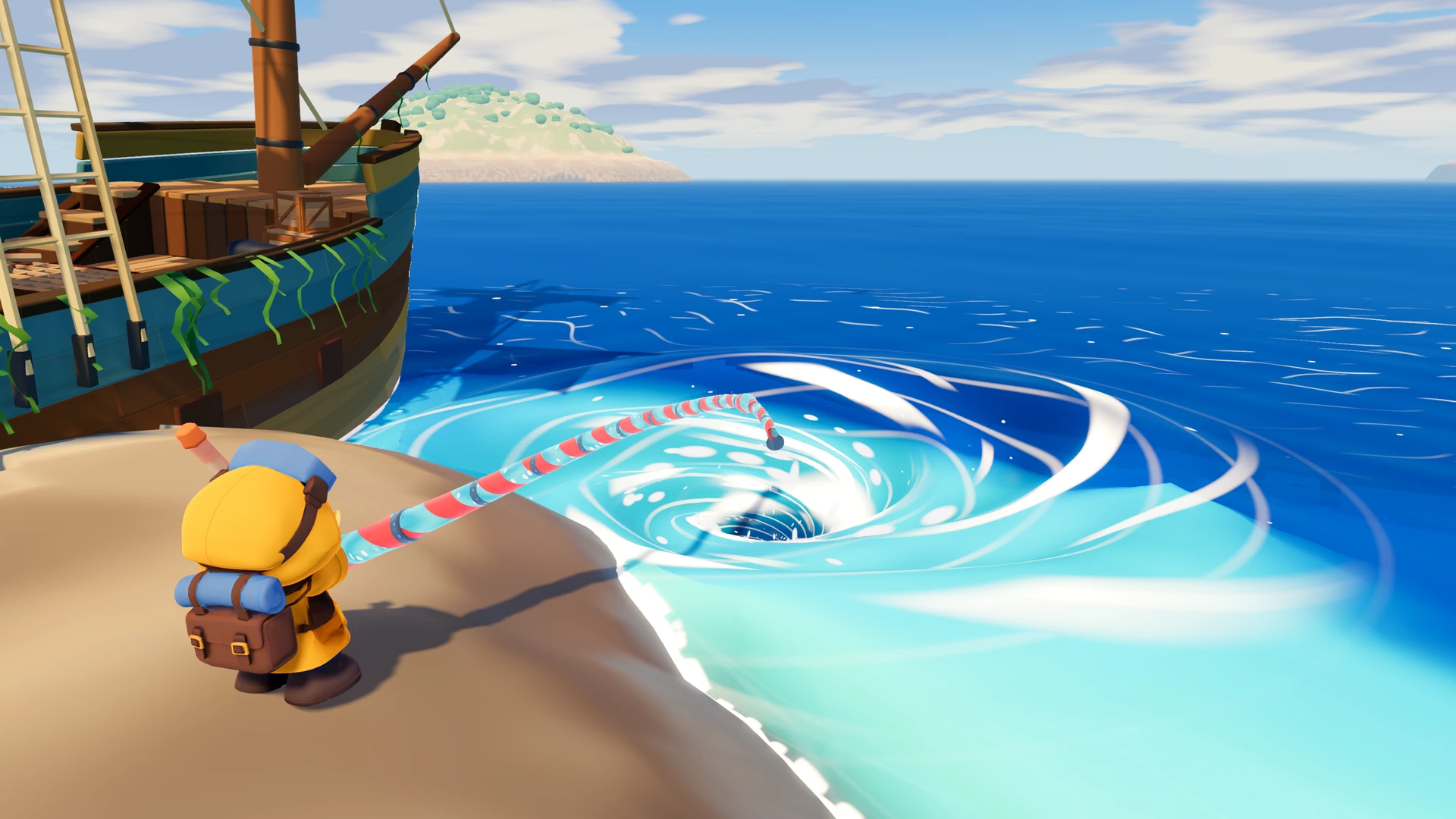
Drink the Ocean is a viral 3D incremental browser game where you siphon infinite seawater to uncover lost seabed secrets. Walk to the shore, drink water with expandable straws, compress your fluid belly into valuable salt at the inland press, and purchase exponential shop upgrades to reveal shipwrecks, colossal skeletons, and the legendary ocean plug.
Which "Drink the Ocean" is this?
Drink the Ocean is also the name of three other things: a song by Gabi Hartmann featuring Oracle Sisters, a Roblox game called Drink The Ocean For Brainrots, and a paid Steam incremental game, One Million Gallons by Mint Mark Studios, which is frequently mistaken for this one. This site covers only the free browser game by Pinidi Studio, published on Playgama in November 2026, current build 0.5.4. There is no Steam version of this game and no connection to the song.
Every shop price we measured (build 0.5.4)
Every first-tier price in build 0.5.4 (transcribed 2026-11-15): Bigger Sip 8 salt (2 L → 2.5 L per sip), Faster Sips 10 (0.60 s → 0.56 s), Longer Straw 15 (6 m → 8.5 m), Hold to Drink 25, One More Straw free with one ad or 80 salt (1 → 2 straws), Recall Ring 10, Bigger Belly 10 (10 L → 13 L), Stronger Press 20 (×1.0 → ×1.3), Fast Legs 12 (9 → 10 m/s), Mouth Vacuum 800, and Pocket Whirlpool only after the Vacuum is bought. Prices rise with each level; these are level-0 purchases.
A full 10 L belly pressed at ×1.0 yields 60 salt — 6 salt per litre at the starting multiplier.
Drink the Ocean Controls & Keybindings
Drink the Ocean features responsive first-person controls with full mouse look sensitivity. When running inside an iframe, ensure you click once inside the game viewport to capture mouse focus and enable pointer lock.
| Key / Action | Function in Game | Tactical Guidance |
|---|---|---|
| WASD / Arrow Keys | Move character | Navigate between the sea edge, salt press, and upgrade shop |
| Mouse Movement | Look around / Aim reticle | Align your center crosshair with the water surface until green |
| Left Mouse Button (LMB) | Drink seawater | Click or hold to sip 2L of water per tick when reticle is active |
| Spacebar | Jump | Hop onto elevated dunes, step over rocks, or reach the salt press |
| 1, 2, 3 Keys | Switch active tools | Toggle between basic straw, multi-straw rigs, and mouth vacuums |
| T Key | Teleport Home | Instant return to the central beach hub when deep in the abyss |
| E Key | Interact / Open Gift | Catch passing Sky Duck balloons and unbox instant salt rewards |
| Tab Key | Release Mouse Cursor | Unlocks the mouse pointer to interact with wiki guides or tabs |
| Touch Screen (Mobile) | Hold DRINK icon | Continuous touch hold drinks water without tiring your finger |
Opening 5 Steps: How to Master the Early Loop
Our own testing in the live build (0.5.4, verified 2026-11-15) confirms the baseline: one drinking action moves 2 liters of water, and the shop panel shows that same 2 L figure next to the Bigger Sip upgrade. Your starting stomach holds 10 liters, meaning 5 quick clicks completely fill your capacity. Follow this exact sequence to bootstrap your salt production:
- Approach the Coastline: Use WASD to walk down the sandy slope until you touch the water margin. Watch your center crosshair turn bright green with the prompt CLICK TO DRINK. You do not have to leave this page to do it — the official player runs in place, and the desktop question (there is no Steam build) is answered on the Steam status page.
- Drink 10 Liters of Seawater: Click your left mouse button 5 times (or hold). Notice your on-screen stomach counter read
10/10 Land your global Ocean Drunk meter tick upward from 0.00% to 2.15%. - Walk to the Mechanical PRESS: Turn around and sprint to the yellow hydraulic compressor platform situated on the central beach dunes.
- Compress Water into Salt: Step directly onto the pressure plate. The hydraulic stamp plunges downward, emptying your stomach and converting your harvested fluid into solid salt currency (a full 10 L belly presses out 60 salt).
- Invest in the Blue Upgrade Shop: Walk over to the neon-blue SHOP booth and buy the Recall Ring first (10 salt) so the trip home becomes a keypress, then Bigger Belly (10 salt) to take the same walk from 10 L to 13 L.
Prerequisites: Browser Compatibility & Account Status
One of Drink the Ocean's greatest strengths is its zero-friction access model. Before starting your run, check these verified environment conditions:
- No Login or Registration: You do not need to create a Playgama account or connect third-party OAuth. The game generates a local cryptographic session key automatically.
- Local Browser Persistence: All upgrade tiers, salt totals, unlocked landmarks, and rebirth counts are stored inside your browser's local storage (IndexedDB). Closing the browser tab does not erase your save unless you clear browser site data.
- Graphics Hardware Baseline: The game runs on standard WebGL 2.0. Integrated laptop GPUs (Intel Iris Xe, AMD Radeon 680M) and Apple Silicon M-series chips run the engine smoothly at 60 FPS.
- Ad-Blocker Compatibility: Some aggressive network-level ad blockers can block Playgama's game bundle domains (
static.playgama.com). If the canvas fails to boot, allowlist the site or pause extensions.
Drink the Ocean Not Loading?
A black canvas, a bar stuck at 99% and a mouse that will not lock are the three failures we see most often. Each has a different cause, so work through them in symptom order instead of refreshing: Drink the Ocean Not Loading & Black Screen Repair Guide.
Playing on Mobile: Touch Controls & Responsiveness
Drink the Ocean includes responsive touch overlays for iOS Safari and Android Chrome. While desktop keyboards provide the fastest navigation, mobile devices offer a comfortable casual tapping experience:
- Virtual Left Joystick: Drag your left thumb on the lower-left screen to steer your avatar across the beach.
- Right-Hand Swipe Camera: Swipe anywhere on the right half of the display to rotate your field of view toward the sea.
- Hold to Drink Button: When touching the shoreline, a large circular DRINK icon lights up. Hold this icon with your thumb for continuous siphoning without repetitive tap fatigue.
- Orientation Recommendation: Rotate your mobile device into Landscape Mode. Portrait orientation severely restricts horizontal FOV and compresses the salt press interface.
Frequently Asked Questions (Drink the Ocean FAQ)
What is Drink the Ocean game?
Drink the Ocean is a 3D first-person incremental clicker game created by Pinidi Studio and published on Playgama in November 2026. Players stand on a tropical coastline, sip seawater with expanding straws, convert their belly water into valuable salt blocks at the mechanical PRESS, and purchase compounding upgrades to drain entire marine depths.
Do I need to download or install Drink the Ocean?
No download or installation is required. Drink the Ocean runs directly inside any modern HTML5 WebGL desktop or mobile web browser completely free without account registration or credit card requirements.
What are the core controls for Drink the Ocean?
On desktop, use WASD to walk, move your mouse to aim, hold or click the Left Mouse Button to drink water when your reticle turns green, press Space to jump, use 1-3 to switch equipped extraction tools, press T to teleport back home to the salt press, press E to claim Sky Duck bonus gifts, and press Tab to release mouse lock.
Why does clicking the ocean sometimes not drink any water?
You must stand close enough to the shoreline so your crosshair turns green and displays the on-screen prompt CLICK TO DRINK. Furthermore, if your stomach capacity reaches 100% full, drinking halts until you walk onto the yellow PRESS platform to refine your water into salt.
What should I upgrade first in Drink the Ocean?
Buy the Recall Ring first (10 salt). It earns nothing on its own, but it turns the walk back to the press into one keypress (T, 10-second cooldown), and the tutorial asks for it at task 6. Take Bigger Belly (10 salt, 10 L to 13 L) immediately after: the same trip then presses 78 salt instead of 60. Extra Straws (80 salt) comes later, because Bigger Sip at 8 salt fixes the same bottleneck first.
What happens when you drink the entire ocean?
Draining the water exposes three sequential seabed depths: the historic Shipwreck, the massive Whale Skeleton, and the ancient Sunken City. At the deepest abyss lies the legendary Ocean Plug; pulling it drains the basin completely and unlocks rebirth into 4 alternate oceans: Cola, Lemonade, Slime, and Magma.
Are there Drink the Ocean codes?
No. The game has no redeem field. We went through all five shop tabs and the settings menu in build 0.5.4 and found none. The only free boost is the in-game DRINK x2 for 3 min ad button bound to F, plus a free One More Straw for watching one ad.
Does my progress save if I close the tab?
Yes. Salt, upgrade tiers and unlocked landmarks live in your browser local storage, so closing the tab is safe. Clearing site data for this domain wipes the save, and progress is not tied to an account, so it does not follow you to another browser.
Is there a multiplayer co-op version of Drink the Ocean?
Yes, a 4-player cooperative edition is hosted separately on mana.gs where players collaborate in shared ocean lobbies. The standard version hosted on Playgama is a dedicated single-player progression experience.
Explore the Complete Drink the Ocean Wiki
Dive deeper into game mechanics, math formulas, landmark coordinates, and platform secrets across our dedicated dossiers: